For your app to be able to fetch and download over-the-air updates you need to add the Sparkle Updater to your project.
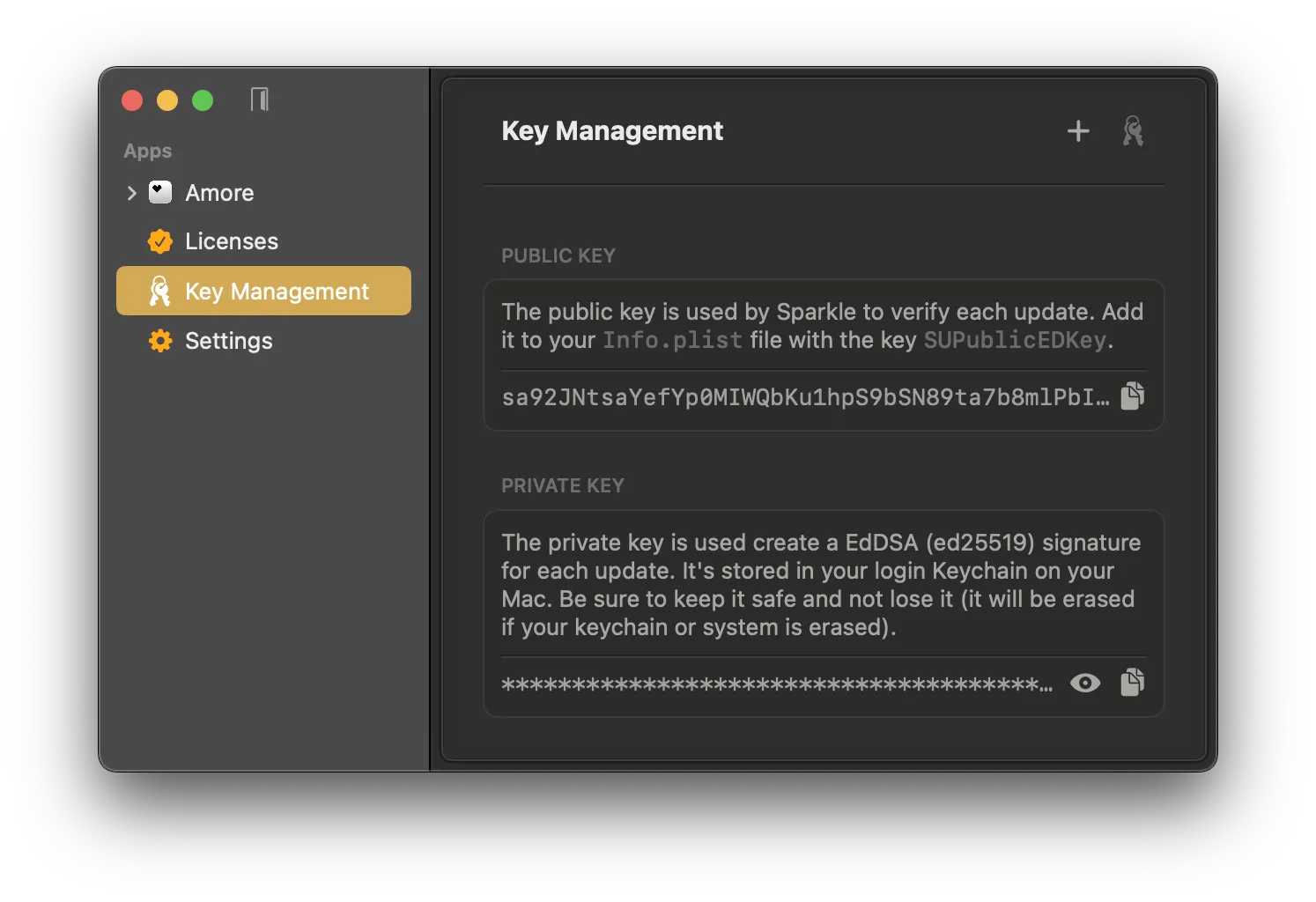
Sparkle will need the following 2 entries in your Info.plist file to fetch and verify new updates:
- Update Feed URL:
SUFeedURL - Public Key:
SUPublicEDKey
You can find the correct values for these entries in the Sparkle settings in Amore.
 After you added
 SUFeedURL and SUPublicEDKey to your Info.plist you need to add Sparkle as a package dependency and initialize the Sparkle updater SPUStandardUpdaterController class in your source code.
Add the Sparkle 2 Package Dependency
- In your Xcode project: File › Add Packages…
- Enter
https://github.com/sparkle-project/Sparkleas the package repository URL
If you use Swift Package Manager (SPM) you can use:
.package(url: "https://github.com/sparkle-project/Sparkle", from: "2.8.1"),Initialize SPUStandardUpdaterController in SwiftUI
Initialize the SPUStandardUpdaterController in your app's @main entry point. Here is an example for a SwiftUI lifecycle project.
import SwiftUI
import Sparkle

@main
struct AmoreApp: App {

  let updaterController = SPUStandardUpdaterController(
    startingUpdater: true,
    updaterDelegate: nil,
    userDriverDelegate: nil
  )

  var body: some Scene {
    WindowGroup {
      ContentView()
    }
    .commands {
      CommandGroup(after: .appInfo) {
        Button("Check for Updates…") {
          updaterController.updater.checkForUpdates()
        }
      }
    }
  }
}
It is recommended to also add the Check for Updates... menu bar button to be able to manually check for new updates, which is a common pattern for macOS apps. You can do this by implementing checkForUpdates() like in the above code snippet.
If you don't use the SwiftUI app lifecycle you can add SPUStandardUpdaterController to your app delegate's (NSApplicationDelegate) didFinishLaunchingWithOptions method.
App Sandbox Entitlement
Sparkle requires additional setup when using the App Sandbox entitlement. Alternatively, you can remove the sandboxing entitlement for the sake of getting started with Amore.
You will still need the Hardened Runtime entitlement to satisfy Apple's notarization service.
Troubleshooting
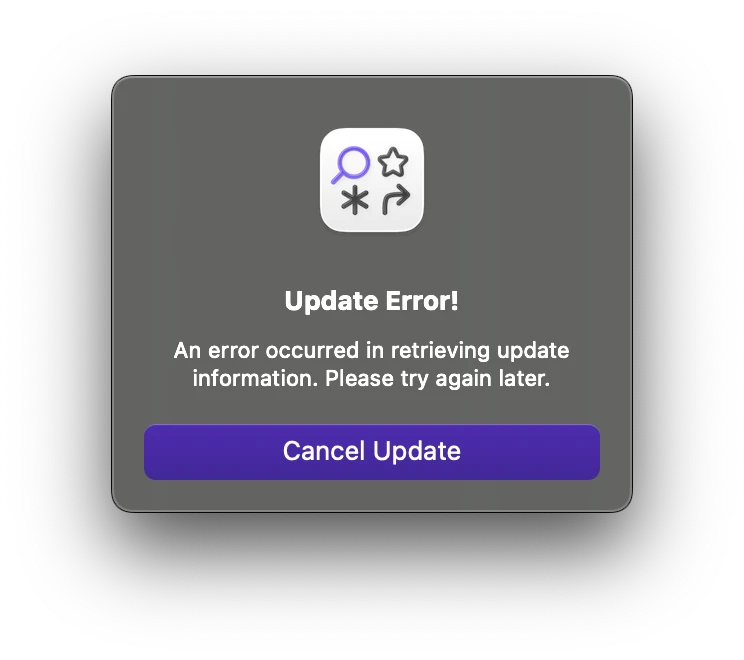
If you get the following Sparkle error after calling updaterController.updater.checkForUpdates() you most likely are using the com.apple.security.app-sandbox entitlement and haven't followed Sparkle's sandboxing guide.
If you don't need the App Sandbox entitlement you can remove it. Make sure that your app still includes the Hardened Runtime entitlement to be compatible with Apple's notarization service.
Update Error!
An error occurred in retrieving update information. Please try again later.