 Amore intends not to lock you in and to make migration easy.
If you want to stay in control or already use an existing S3 bucket, you can use Amore with any S3-compatible data storage provider of your choice.
If you already have an existing S3 bucket with updates and appcast.xml, Amore will be able to read your appcast.xml and will leave all the other updates alone. When you publish a new release via Amore, the new release will get added to the beginning of the appcast.xml.
To create a persistent download link for your users, Amore will automatically copy the latest release to /{Path Prefix}/{Product Name}.zip|dmg, depending on your preferences. Amore will show the persistent download link to your latest release in General.
Once everything is setup correctly you can manage releases previously added to appcast.xml from within Amore and use features like beta channel, phased rollouts and critical updates.
You can use Amore to update the release notes of all of your releases.
Setup
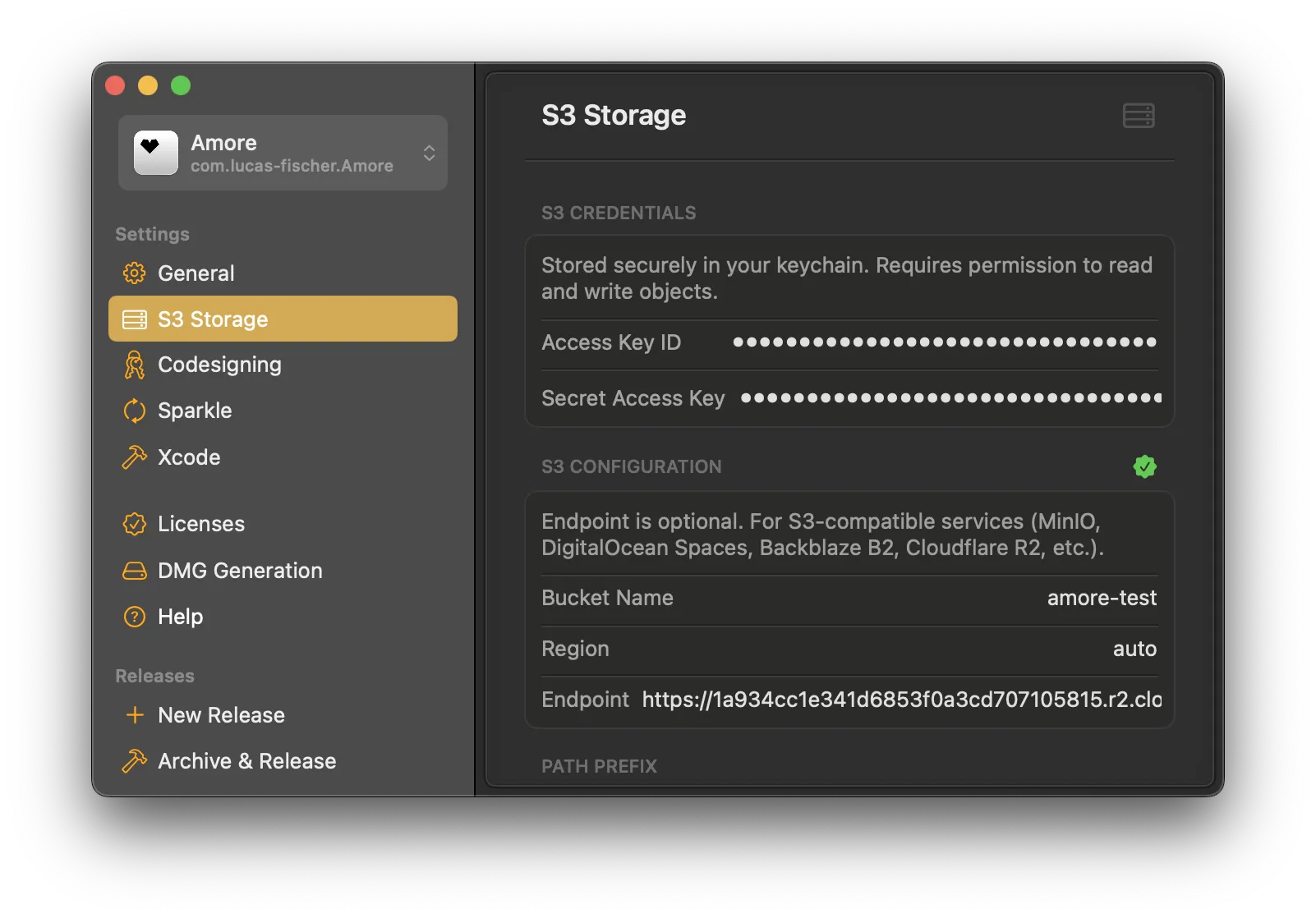
When creating a new app choose Self-Managed S3, which will prompt you to configure an S3 bucket.
You need to set your access key id and secret access key. In addition, Amore needs the bucket name, region an optionally the API endpoint you want to use in case you don't use AWS.
On the top right of the S3 Configuration pane you can see if your credentials and configuration is valid. If everything works you should see a green seal icon.
Advanced Options
| Option | Description |
|---|---|
| Path Prefix | Optional folder path within the bucket. Will also be applied to Appcast Path. |
| Public Base URL | The public URL where files are accessible (e.g., CloudFront distribution or S3 bucket URL). |
| Appcast Path | The path to the appcast.xml file within the bucket. Useful if you want to use an existing setup. Leave empty otherwise. Will respect Path Prefix if set. |
Cloudflare R2
If you want to use Amore with Cloudflare R2 you need to set Region to auto.